
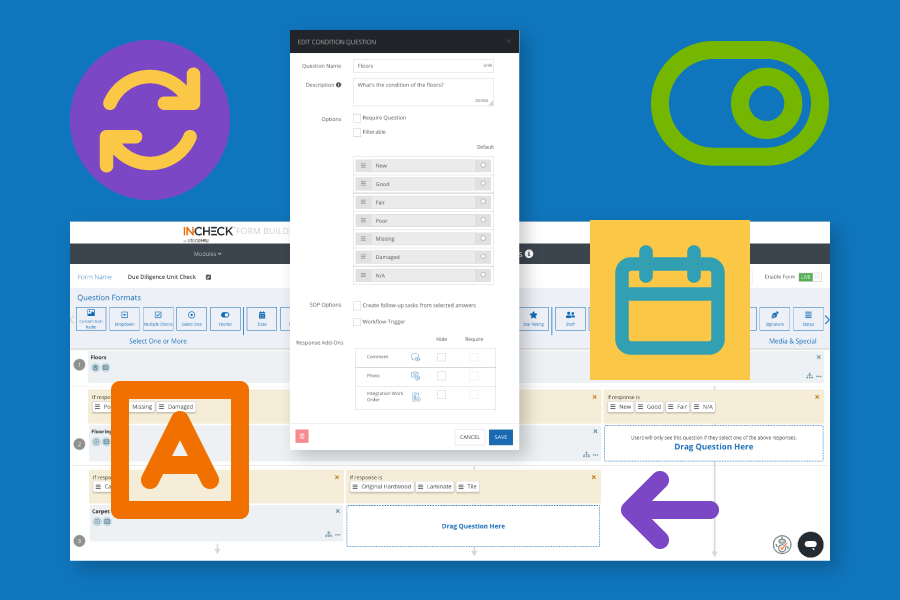
The new InCheck Form Builder gives your team the power to create, edit, and manage inspections, routines, incident report forms, and much more.
Whether you’re looking to make a small adjustment or want to build a totally new inspection, you can take care of both on-demand, and easier than ever before.
InCheck admin-level users can manage all forms across their accounts directly in the Form Builder – including unit inspections to insurance documents, and everything in between. That includes the ability to:
- Create new forms for the InCheck Mobile App and your InCheck desktop view
- Delete any outdated or test forms
- Deactivate forms you’d like to keep, but don’t want your team to access in the field
- Modify questions and inputs for any active forms
- Determine which inputs & responses can trigger work automatically
- Require questions, comments, or photos
- Manage Work Order status updates for integrations (Yardi, ResMan)
And don’t worry – your favorite InCheck experts aren’t going anywhere. You’ll still be able to connect with our team for questions, tips, and best practices on bringing your ideal forms to life.
The Form Builder can be accessed under Settings > Company, or from the bottom of your left side navigational tabs in any InCheck Admin user account.
Questions? We’ve got resources! Connect with your Customer Success Manager for helpful guides, videos, and more insights on how to get the most out of your new Form Builder.
The InCheck Form Builder was created using direct feedback from property management teams. We’re excited to continue building on features like the Form Builder, and working with teams like yours to make InCheck even better and easier to use.
Related Articles



About the Author

